Budget Template
If you don't already have a budget, you'll find a budget template on this page in both Excel and Google Sheets formats. The template includes everything you need to get started.
See further down the page for instructions on how to use the template.
Why settle for a template? Create a free Budget!
The budget template is easy to use, but by using Personal Finance’s free budgeting tool, you’ll gain access to more features—and it’s just as easy! Watch the video below to see how easy it is to get started.
How the Budget Template Works
Below is an overview of how the budget template works. You can download the template using the buttons at the top of the page.
Amounts and Balance
At the top of the Budget, in the yellow section, you can see a breakdown of the amount you need to transfer to your Budget account each month, as well as the Budget balance.
Your balance is the difference between your income and your expenses. If you have a positive balance, you have a surplus in your paycheck account after you’ve transferred money to your budget account.

Period
For each budget entry, you must specify whether it is an annual, quarterly, or monthly expense or revenue.
When you enter an amount in either the year, quarter, or month field for each entry, the amount is automatically calculated for the other two fields. This gives you an overview of how much a single income item amounts to on a monthly, quarterly, and annual basis.

Report Income
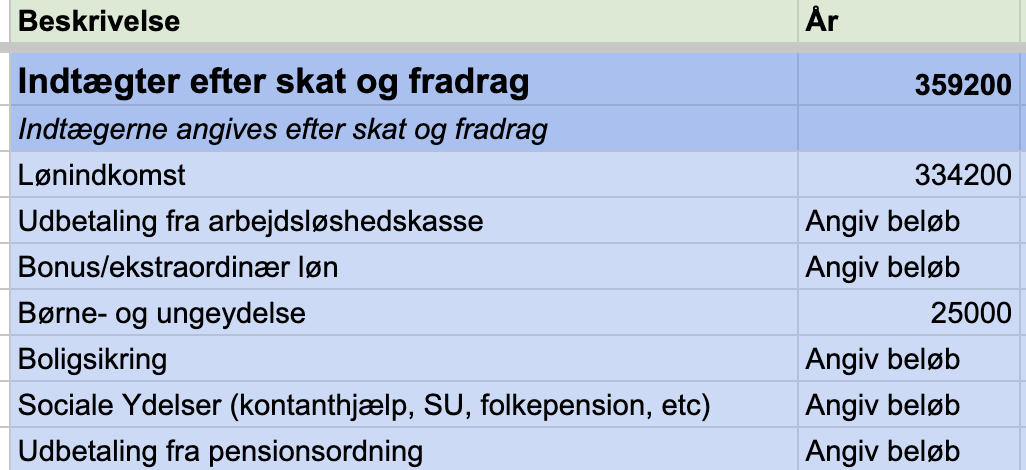
In the blue field, enter your income after taxes have been paid and deductions have been taken. This will typically be the amount deposited into your account.
Review all the income estimates listed in the Budget and assess whether they apply to your specific situation.
Enter Expenses
The most important thing about a budget is that it gives you an overview of your recurring expenses—that’s why the most important part of your budget is to include all the expenses you pay on a regular basis.
The budget template includes suggestions for many different types of expenses you might have. It’s a good idea to review all the suggested expenses and consider whether they apply to you.
If an expense is relevant, specify whether it is an annual, quarterly, or monthly expense.
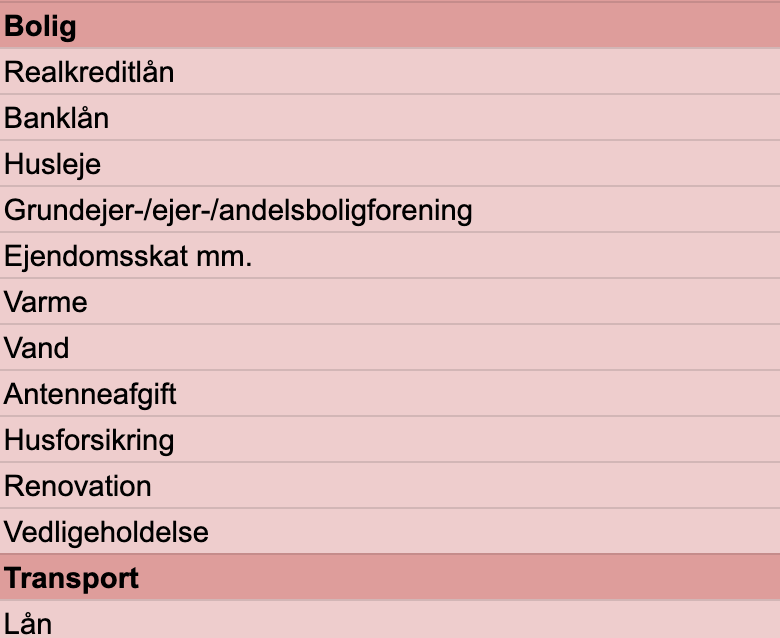
Once you’ve gone through all your expenses, you should consider whether you have any recurring expenses that aren’t included in the template—if you do, you’ll need to add them to the Budget as well.
Once you’ve entered the amounts for all your fixed expenses, you’ll have a Budget, which is the foundation of any sound financial plan.
Want an even better overview?
With Personal Finance’s budgeting tool, you get the ultimate overview of your finances. You also gain access to many useful features that give you exceptional insight into your finances.
You can read more about the benefits here, or get started right now by clicking the button below.