Expenditure Statement
To gain a better understanding of your finances and identify what you’re actually spending your money on, it can be a good idea to keep a spending journal. See below to learn what it is and how you can get started quickly and easily

What Is a Consumption Account?
An expense log is simply a record that tracks your spending. There are many benefits to keeping track of your spending. Just the fact that you review your finances week-to-week or perhaps even dayreviews your finances automatically makes you think more carefully about what you’re spending money on, and you’re also more aware of how much disposable income you have left for the current month.
When you keep track of your expenses, you reconcile each entry in your expense account (typically your paycheck account). You enter each entry into your accounts and select the category that best fits the entry.
By categorizing your expenses, you can get a good overview of what you’re generally spending your money on. If you want to cut back on your spending, this overview can help you focus on reducing your spending in one or more categories.
Step-by-Step: How to Create a Budget
Personal Finance has made it easy to track your spending and reconcile your bank account, giving you the insight you need to create more financial flexibility in your daily life.
First, consider how much disposable income you need
Your disposable income is the money you have left after all your fixed expenses have been paid.
The first thing you should consider is whether you have a target for the maximum amount you want to spend each month, in addition to your fixed expenses. This figure is your budget for your disposable income, and it’s the amount you should try to keep your spending below each month.
Most people have a disposable income of around 5,000–7,000 DKK per month. Some spend less, while many spend significantly more. Only you and your financial situation can determine the right amount of disposable income for you, but it’s always a good idea to think about it.
Step 1: Set up accounts
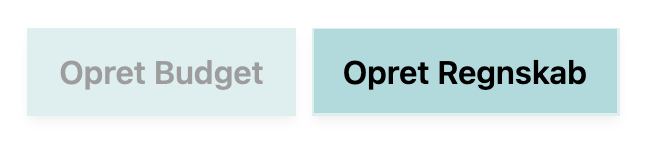
When you’re on “My Overview,” click the “Create Accounts” button in the upper-right corner.
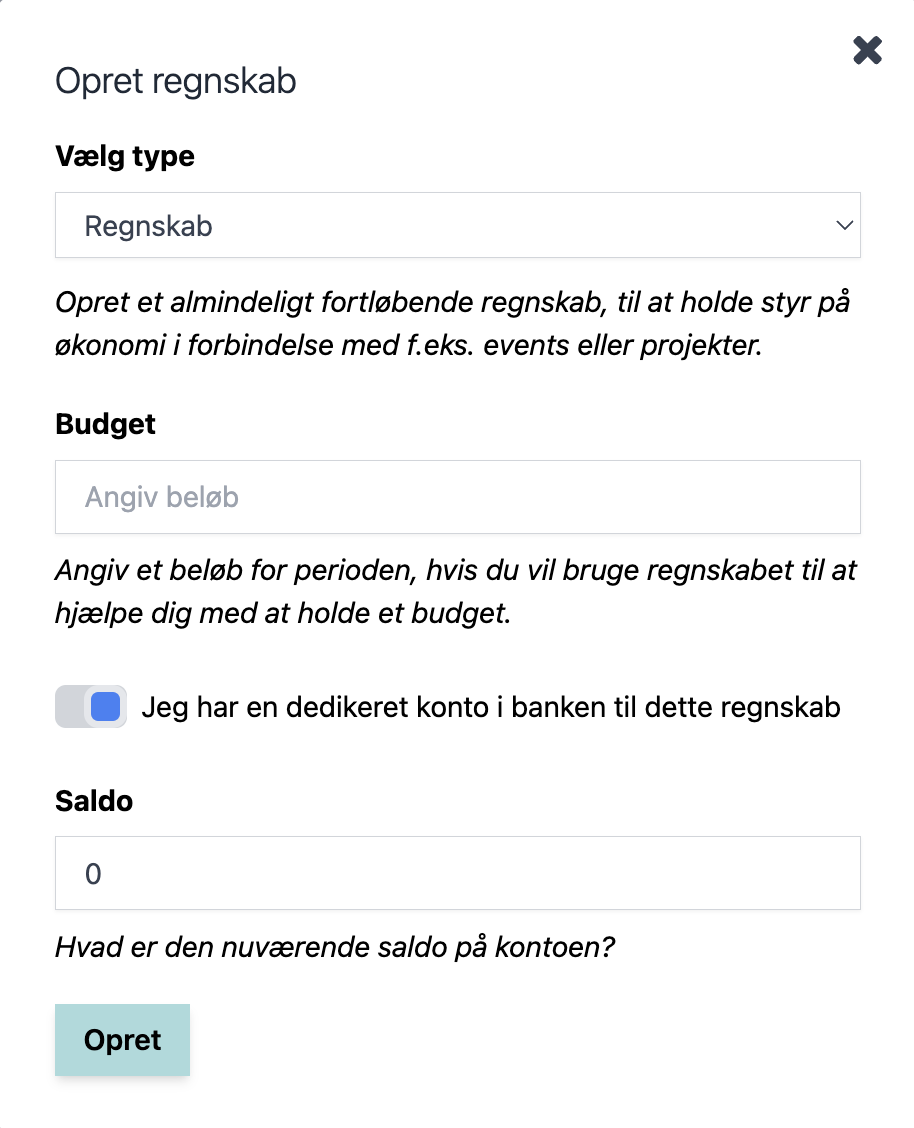
Under “Select Type,” select “Monthly Accounting”
Under “Budget,” enter your target amount for your disposable income.
You probably have a separate account for your everyday expenses. It’s most likely your checking account.
When you’re ready and have filled in all the fields, click Create.
Once your new expense account has been created, start by editing the categories in the accounts.
Which categories you should use depends on what you spend your money on. The categories could include things like Housing, Dining Out, Groceries, Travel, Takeout, Transportation, Clothing, and Entertainment.
You might also want to know how much you spend on things like coffee and sweet treats each month, in which case you could, for example, create a “Sweet Treats” category.
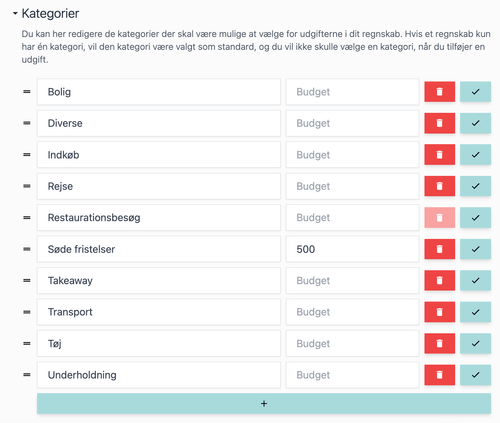
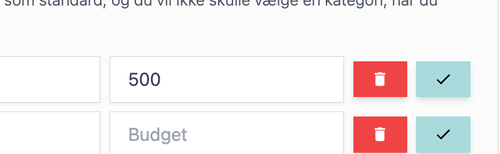
For example, if you’ve decided that you’ll spend no more than 500 DKK on sweet treats each month, you can set a Budget for the “Sweet Treats” category.
By doing so, you’ve set a goal for the category, and that will help you on your way to achieving your goal.
Step 2: Enter entries
Your spending report is now ready to use. Let’s take a closer look at how to add entries and at the tools that can help you get a complete overview and insight into your spending.

Once you’ve created a new expense account, you’ll see that the “Current Balance” is the amount you entered in the “Balance” field when you created the account.
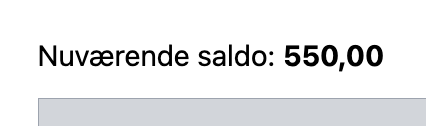
You’ll also see that the balance for the month is 0 DKK. This means you haven’t spent or received any money. If you’ve set a budget for the Accounts period, it will appear next to the balance so you can easily see how your spending compares to your budget.

Add a new entry by tapping “New Entry.”
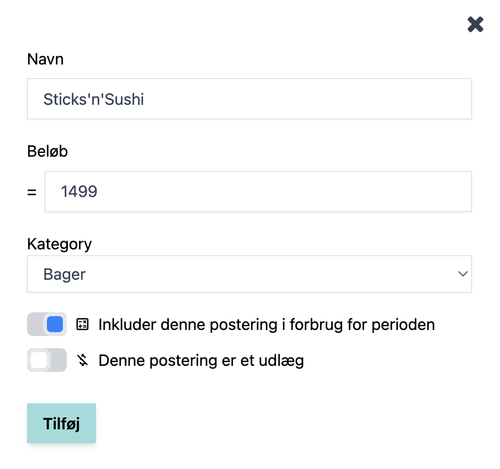
Here, we’re creating a restaurant visit at Sticks’n’Sushi, where 1,499 DKK was spent.
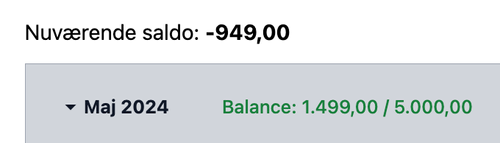
Once the entry has been created, you will see that it has affected both the Current Balance, which is now -949.00 DKK, and the Balance for the period, which is now 1,499 DKK.
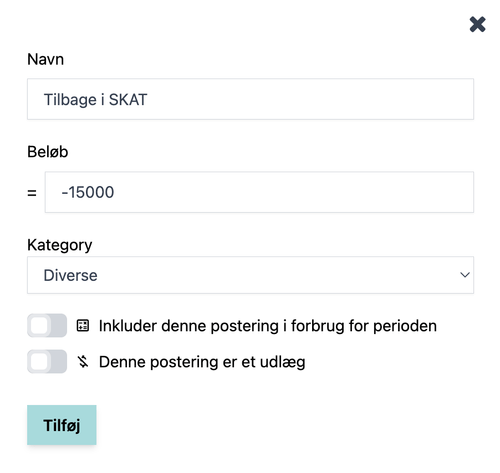
Let’s add one more entry and assume that you received a tax refund of 15,000 DKK.
When money has been deposited into the account, the amount must be entered as a negative number.
Since there isn’t a category that fits this purpose (and since tax refunds are relatively rare, it doesn’t make sense to create a category for them either), it is placed under the “Miscellaneous” category.
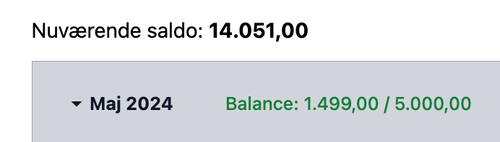
Here you can see that the Current Balance has been updated to 14,051 DKK, while the Balance for the period remains the same as before, namely 1,499 DKK. The entry has therefore had no effect on the balance, and consequently has not affected whether we remain within our Budget target of 5,000 (neither positively nor negatively).
You’re now ready to start keeping your own personal budget. It’s easy to get started, and you’ll quickly gain a good understanding of your finances. You can read more about all the features available to you when you set up accounts on Personal Finance right here.